- Home
- Product
- Extensions
- Age Caculator
Support & Customization
For further changes or customization, please contact us at info@aashro.com.

[AASHRO] Age Caculator
Overview
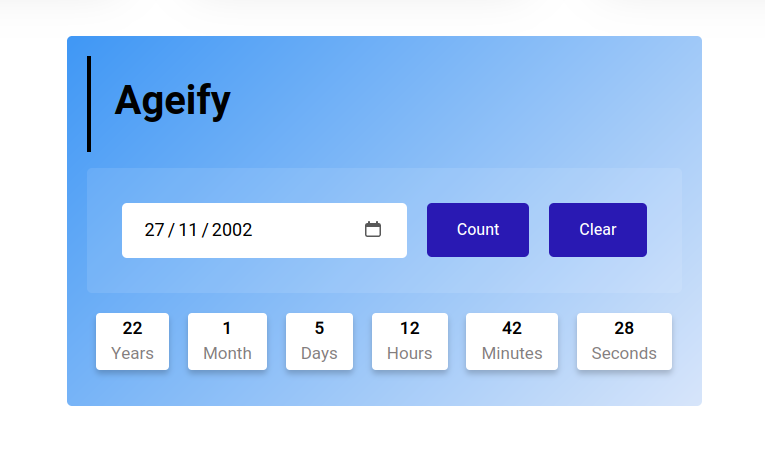
The (AT)AgeCalculator is a versatile and user-friendly TYPO3 extension designed to calculate age with precision. It provides results in terms of years, months, and days, hours, minutes and seconds offering an accurate age calculation for a wide range of use cases. Age calculator is compatible with Typo3 Version 10, 11 & 12.
Key-points :
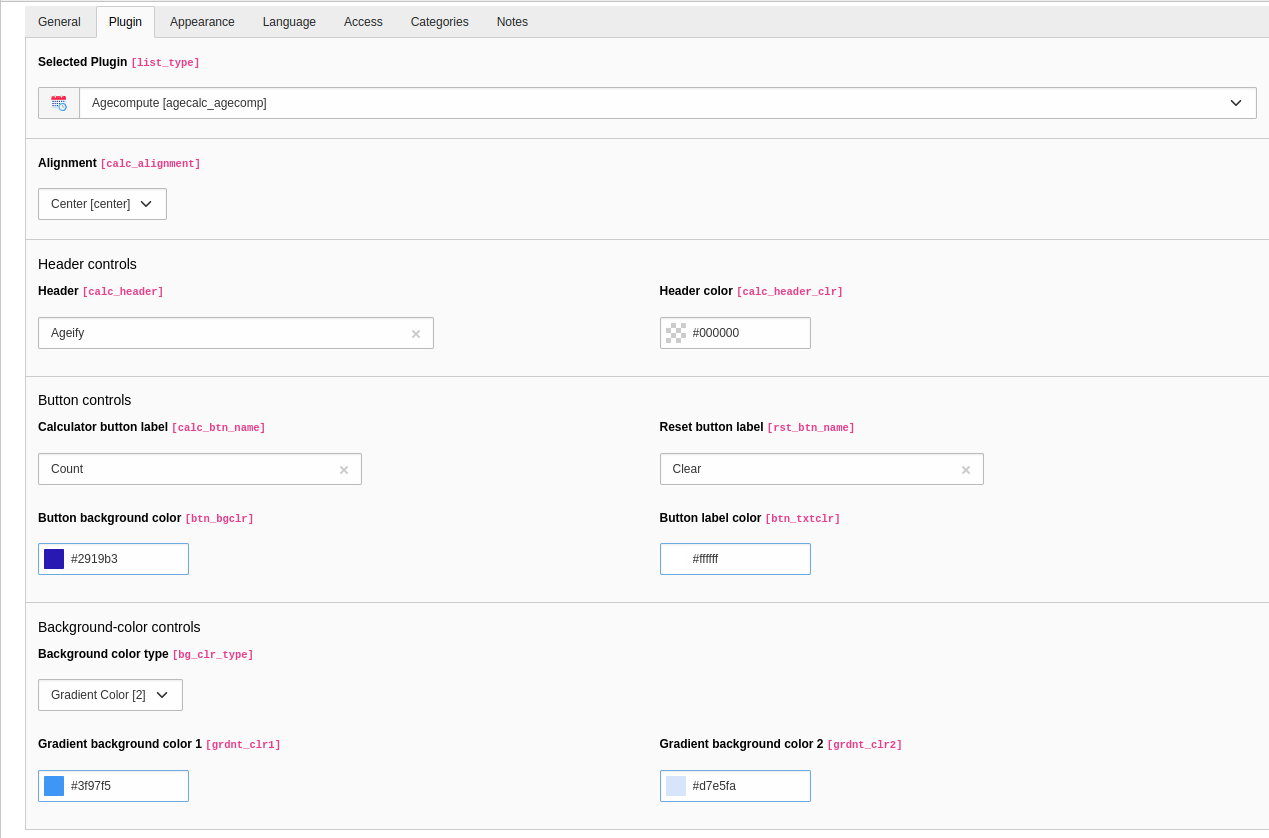
- User can modify its design by using configuration of AgeCaculator plugin.
- It show the age in the form of years, months, days, hours, minutes and seconds too.
- Supports TYPO3’s localization features, making it suitable for websites with multilingual content.
- Designed to work smoothly across all devices, including desktops, tablets, and mobile phones.

How to install Age Caculator ?
1. Composer-Based Installation
1. Install the Extension via Composer
Navigate to your TYPO3 project root and run the following command:
composer require agecalc/age-calc
2. Update Database Schema
After installing the extension, update the database structure:
- Log in to the TYPO3 Backend
- Navigate to Admin Tools → Maintenance
- Click Analyze Database Structure
- Apply all suggested database updates
This step ensures all required database tables and fields used by the extension are created correctly.
3. Include the Extension TypoScript
To make the extension work properly, its TypoScript must be included:
- Go to Typoscript Module
- Select the root page of your site
- Click Edit the whole template record
- In the Includes tab, add the extension under Include static (from extensions)
- Select Age Calc (or the extension’s static TypoScript name)
- Save the template
4. Clear TYPO3 Caches
Finally, clear the TYPO3 cache to apply all changes:
- Go to Admin Tools → Maintenance
- Click Flush TYPO3 and PHP Cache
2. Non-Composer Installation
Follow these steps to install and configure the (AT)AgeCalculator extension in TYPO3 :
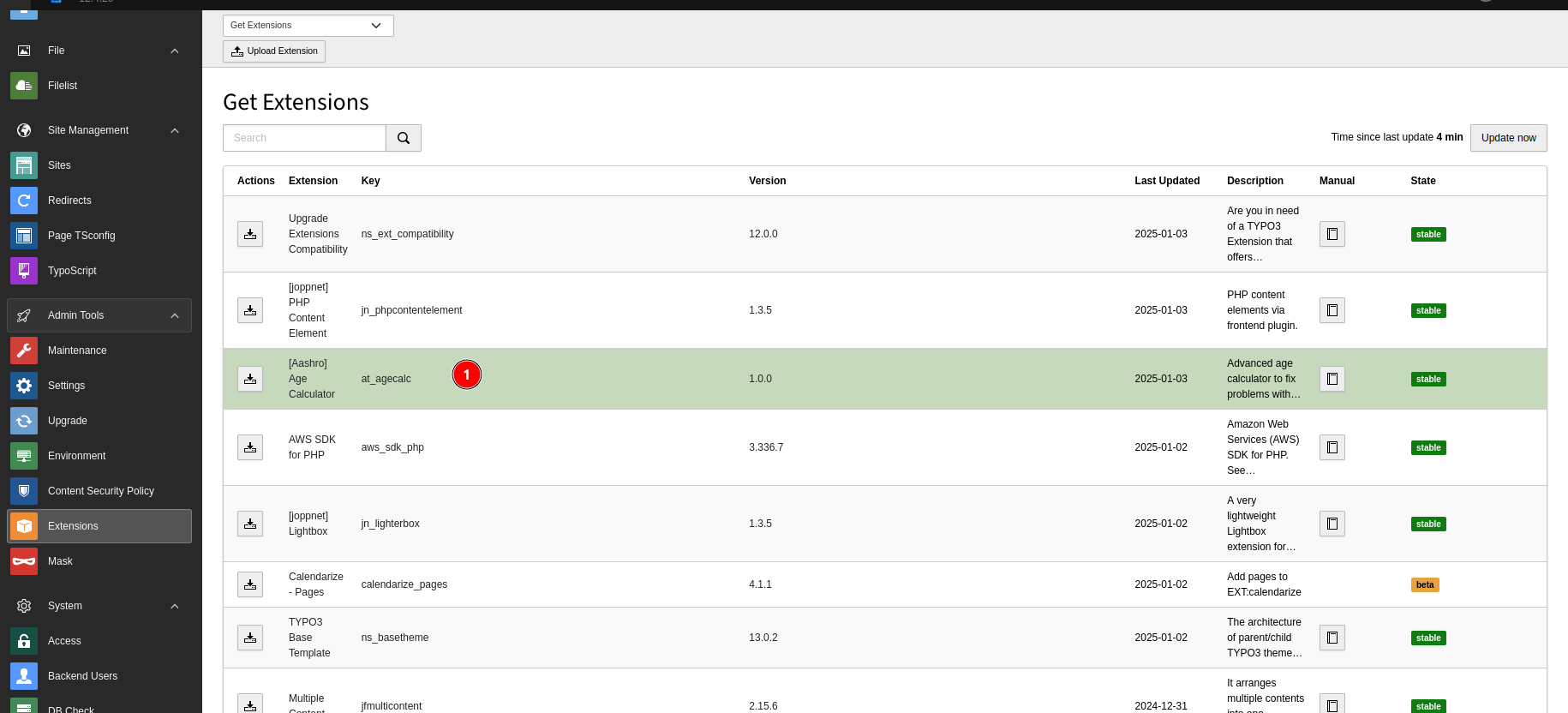
Download the Extension
- Visit the TYPO3 Extension Repository (TER) or use the Extension Manager in your TYPO3 backend.
- Search for (AT)AgeCalculator and download the extension package.
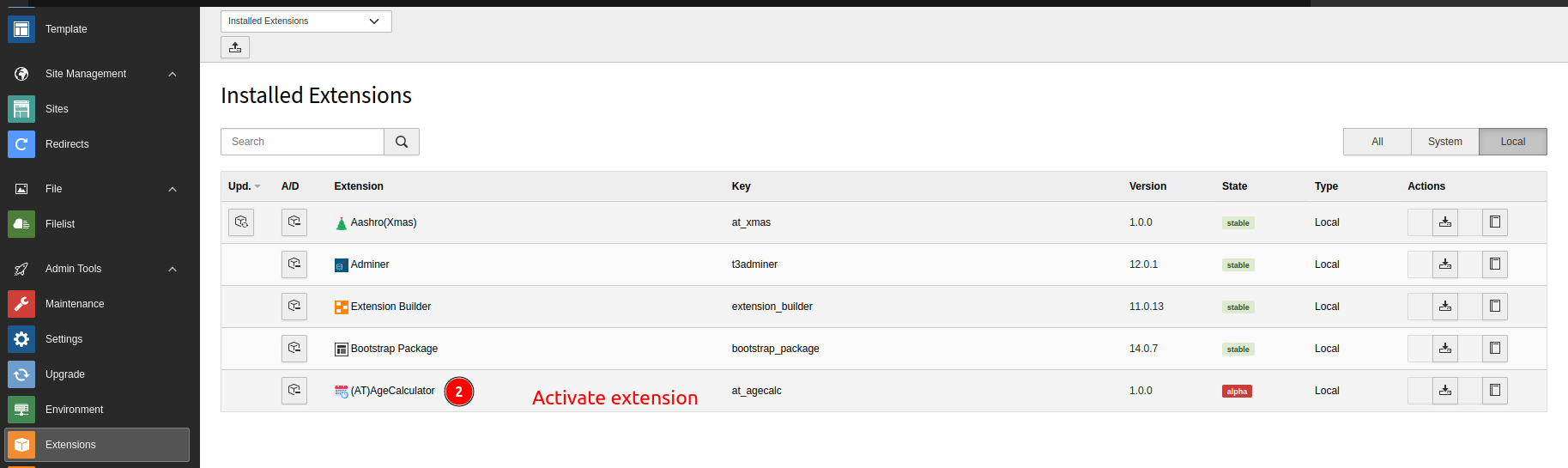
Activate the Extension
- Locate the downloaded extension, and click the Activate button to enable it.
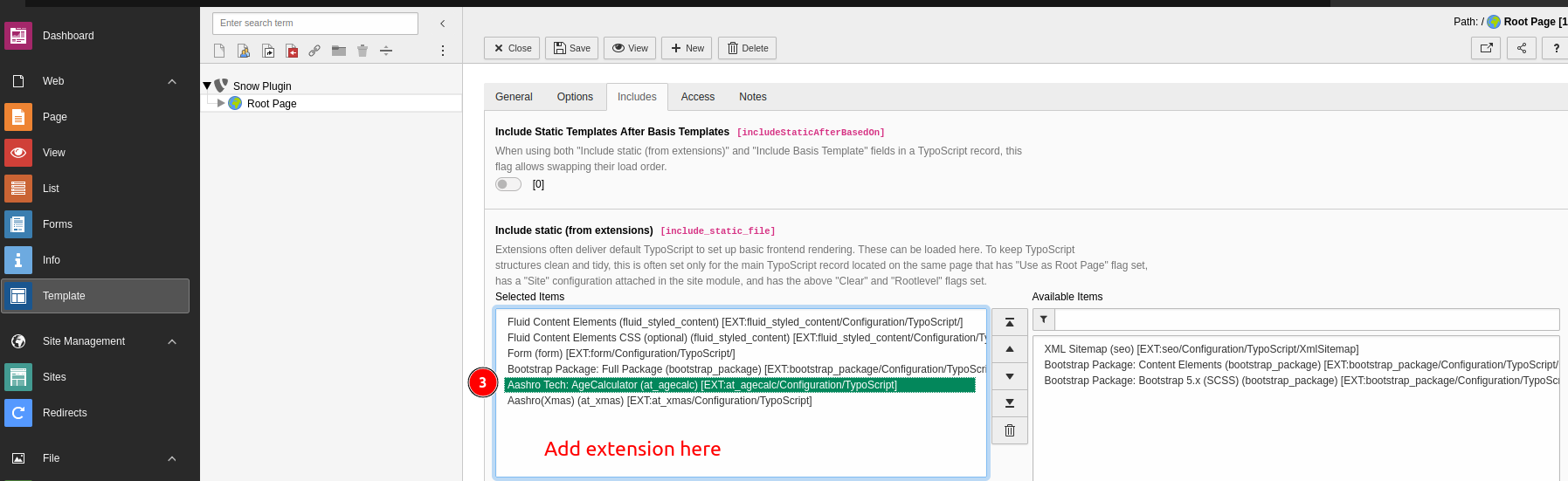
Include TypoScript Configuration
- Go to Template/Typoscript Module > Edit the Template Record for your site.
- Include the TypoScript configuration for the extension by selecting extension in the "Include static (from extensions)" section.
- Save the changes.
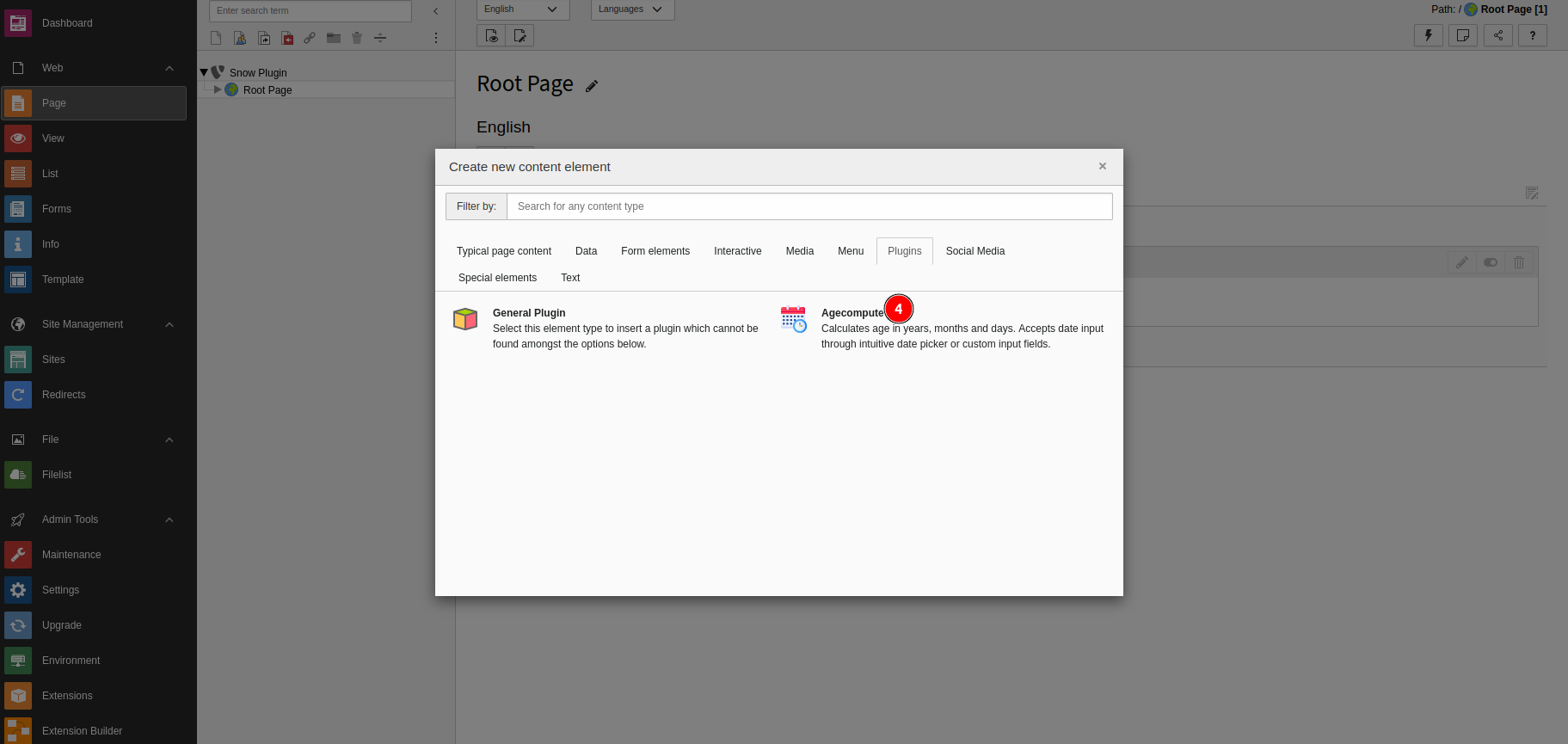
Add the Plugin to a Page
- Go to the Page module and open the desired page where you want to add the age calculator.
- Add the Agecompute Plugin from the Content Element Wizard.
Configure Plugin Settings
- Once the plugin is added, open its settings.
- Set the field values according to your requirements.
Frontend Test
- Save the changes and open the frontend of your website to test the age calculator.
- Ensure the fields and calculations work as expected.