TYPO3 Extension Development

Extend the Power of TYPO3 with Custom-Built Extensions

TYPO3 is a robust, enterprise-grade Content Management System (CMS) written in PHP. What sets TYPO3 apart is its highly modular and flexible architecture, which allows you to build scalable, secure, and performance-optimized digital platforms. At the heart of this flexibility are TYPO3 extensions—modular components that add new features and functionalities to your website. Whether it’s a simple contact form or a complex event booking engine, extensions allow you to tailor TYPO3 to meet your exact business needs.

At AashroTech, we specialize in professional TYPO3 extension development. Below is a detailed, step-by-step breakdown of how we build reliable and maintainable extensions, ensuring quality, performance, and future scalability.

1. Environment Setup

The foundation of any TYPO3 project starts with a proper development environment:

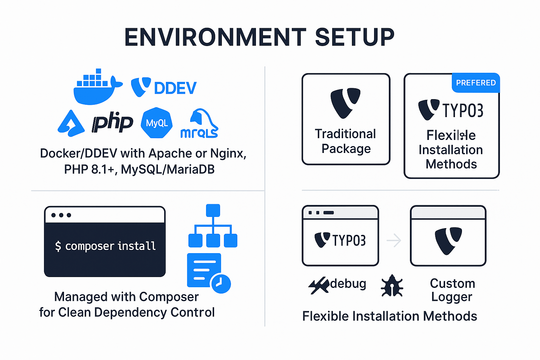
  • We use local or virtual environments (Docker or DDEV) with Apache/Nginx, PHP (version 8.1+), and MySQL/MariaDB.
  • Composer is used to manage TYPO3 core, dependencies, and extensions, ensuring an upgradable and consistent setup.
  • We configure debugging tools like TYPO3 Debug Toolbar, Xdebug, and custom logging mechanisms.
  • TYPO3 is installed either via the traditional package or Composer-based method (preferred for modern development).

This step ensures a smooth development process and compatibility with future TYPO3 upgrades.

2. Extension Directory Creation

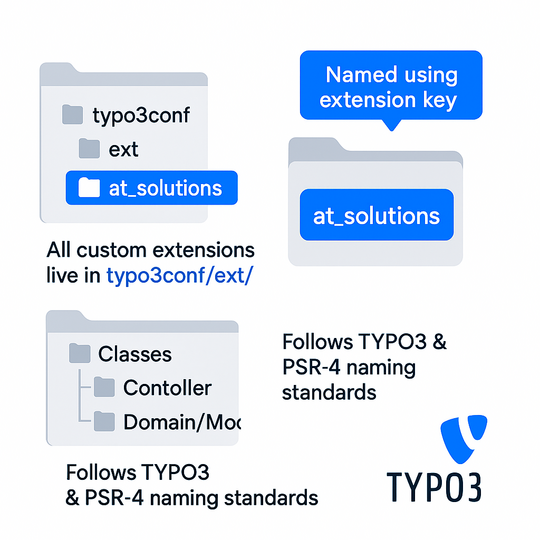
  • All custom extensions live in the typo3conf/ext/ directory.
  • We create a new folder named after the extension key (e.g., at_solutions).
  • Naming follows TYPO3 and PSR-4 standards for namespace and folder structure.

This setup keeps the extension organized, discoverable, and standardized for all developers.

3. Defining Extension Metadata

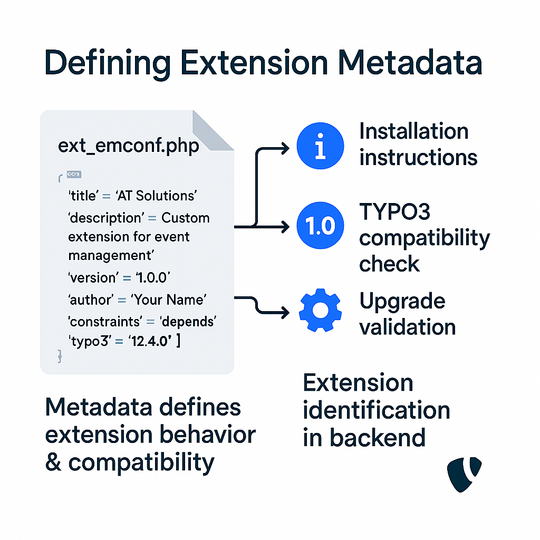
  • The ext_emconf.php file stores metadata such as the extension name, description, version, author, and constraints (e.g., TYPO3 version compatibility).
  • This metadata ensures that TYPO3 understands how to treat the extension in terms of installation, upgrades, and conflicts.

4. Registering Configuration

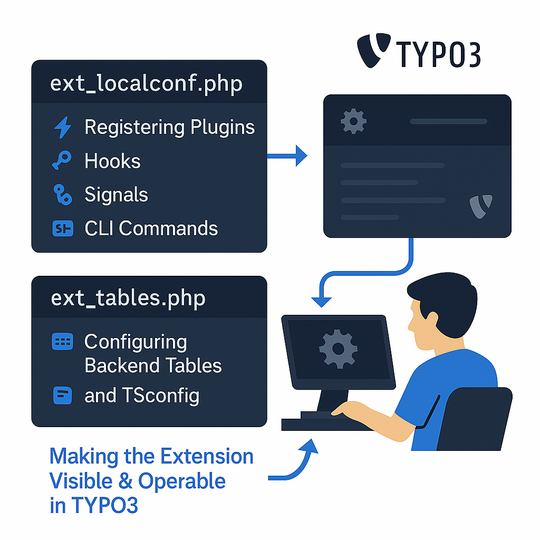
  • In ext_localconf.php, we register plugins, hooks, signals, and CLI commands.
  • In ext_tables.php, we define how tables appear in the TYPO3 backend, add pageTSconfig or userTSconfig for backend settings.

This makes the extension “visible” and operable within TYPO3’s ecosystem.

5. Implementing Features (MVC Architecture)

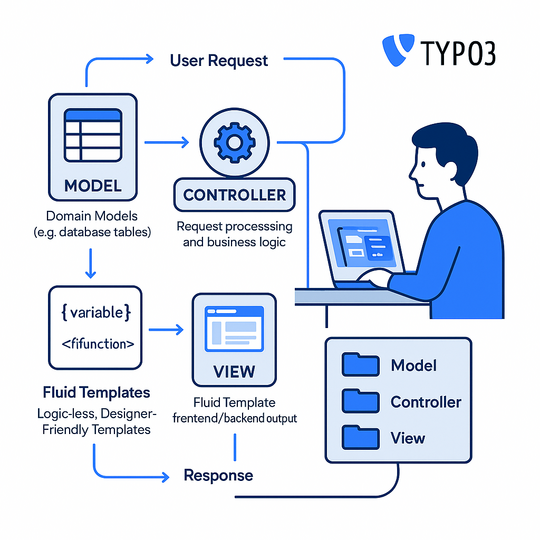
Using the Extbase Framework (based on MVC), we structure the extension:

  • Model: Represents database tables (Domain Models).
  • View: Fluid templates render frontend or backend output.
  • Controller: Handles business logic and request processing.

Fluid templates support logic-less rendering, making code clean and designer-friendly. We also use ViewHelpers to simplify conditional rendering and custom formatting.

6. Backend Modules and Frontend Plugins

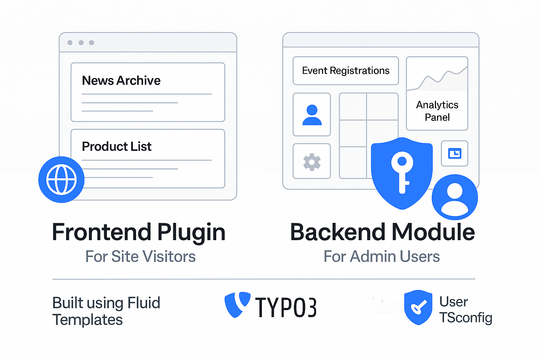
We decide the nature of the extension:

  • Frontend Plugin: For site visitors (e.g., a news archive, product list).
  • Backend Module: For admin use (e.g., event registrations dashboard, analytics panel).

Backend modules can be built using Fluid-based layouts and integrated with access control via User TSconfig.

7. Database Integration & TCA Configuration

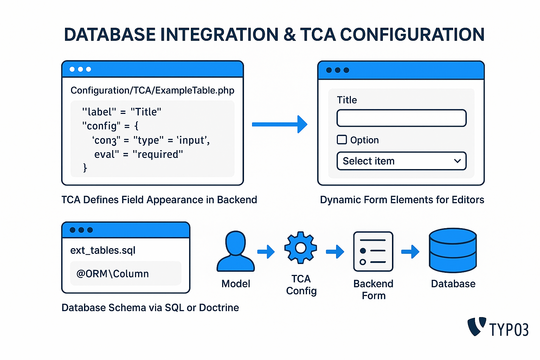
  • TYPO3 uses TCA (Table Configuration Array) to define how database fields appear in the backend.
  • We create Configuration/TCA files to define data types, validation, labels, and form elements.
  • Database schema can be managed via ext_tables.sql or Doctrine annotations.

8. Multilingual and Localization Support

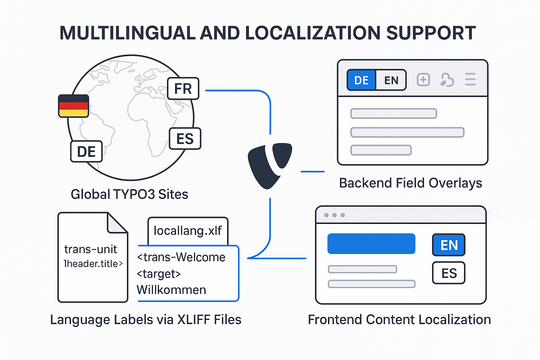
TYPO3 supports global websites. We:

  • Use XLIFF files for all labels and messages.
  • Implement multi-language support using TYPO3’s native localization features.
  • Ensure all frontend output is translatable and backend fields support language overlays.

9. Testing & Debugging

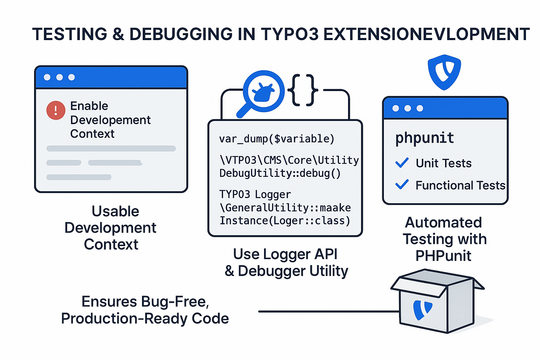
We use comprehensive testing and debugging practices:

  • Enable development context to see detailed logs and errors.
  • Use var_dump, TYPO3 Logger API, and Debugger Utility.
  • Functional tests and unit tests are implemented using PHPUnit.

This ensures the extension is bug-free and ready for production.

10. Documentation & Usability

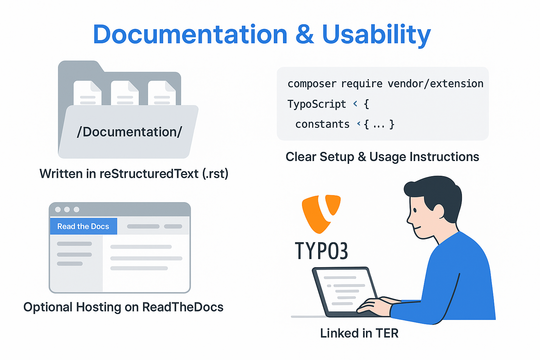
Every extension is well-documented:

  • Installation steps, configuration options, and usage guides are provided.
  • Documentation is written in reStructuredText and included in the /Documentation/ folder.
  • We optionally host docs via ReadTheDocs or link them in the TYPO3 Extension Repository (TER).

11. Publishing & Versioning

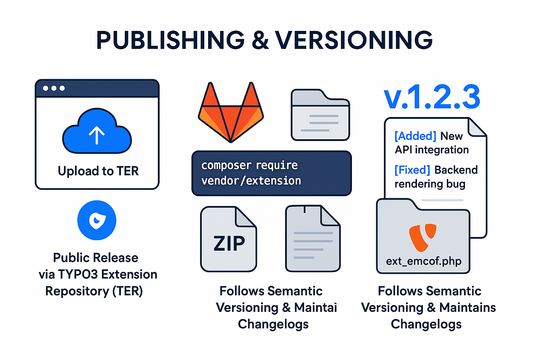
Extensions can be published for public or private use:

  • Public: Uploaded to TYPO3 Extension Repository (TER) using the official uploader.
  • Private: Managed via Git, Composer, or ZIP for in-house or client-only use.
  • Semantic versioning is followed (v1.2.3), and changelogs are maintained.

12. Maintenance & Support

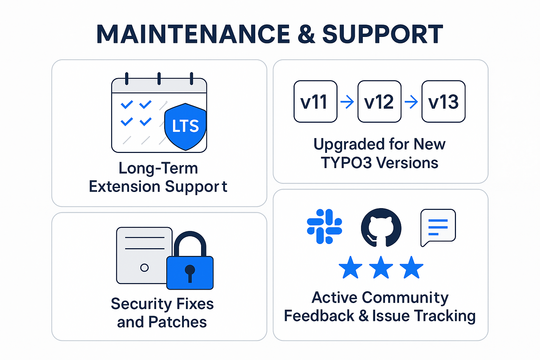
  • We provide long-term support and security updates.
  • Extensions are updated to be compatible with newer TYPO3 versions.
  • Community support via Slack, GitHub Issues, and TER feedback ensures ongoing improvements.

Why Choose AashroTech for TYPO3 Extension Development?

  • 8 Years of experience with TYPO3 Core and custom extension development.
  • Successfully delivered 100+ TYPO3 projects across multiple industries with tailored, results-driven solutions.
  • Follow TYPO3 Coding Guidelines and use Composer-based architecture.
  • Expert in frontend (Fluid, HTML5, CSS, JS, Bootstrap) and backend (Extbase, TCA, Doctrine, Typoscript, Custom Extension, Bakcend API).
  • 100% upgradeable and documented code.
  • Fast turnaround and post-launch support.

We turn your unique business requirements into powerful TYPO3 features. Let’s build the perfect extension for your digital needs!