- Home
- Product
- Extensions
- Xmas
Support & Customization
For further changes or customization, please contact us at info@aashro.com.
Xmas

1. Extension Overview
Extension Name: [AASHRO] Xmas
Purpose: Add a customizable Christmas snowfall effect to your TYPO3 website.
AASHRO (Xmas) works automatically and does not require adding a frontend plugin or content element.
Target Users:
- Editors
- Integrators
- Developers
2. Features
- Automatic Christmas snowfall effect
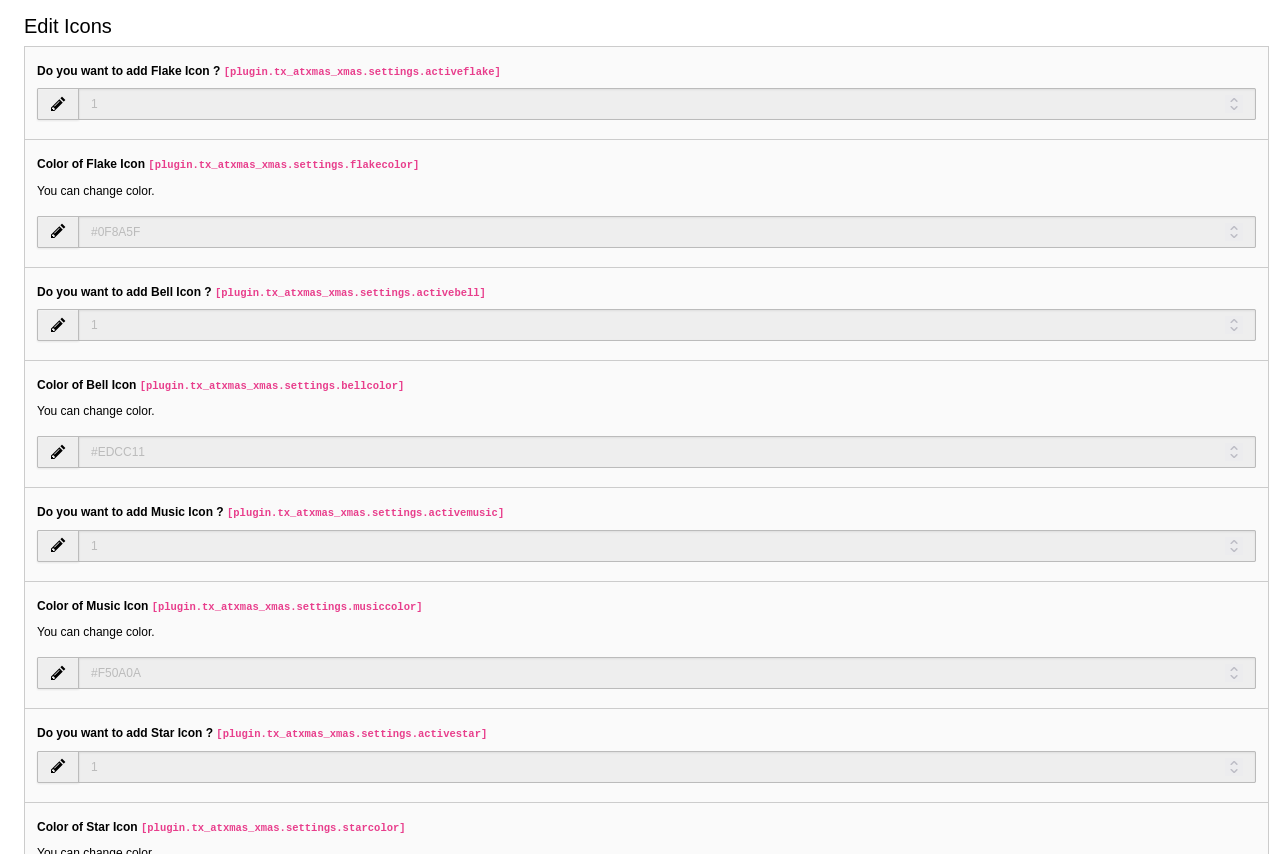
- Select snowflake icons/styles
- Customize snowflake color
- Configure snowfall speed
- Configure falling direction
- No frontend plugin required
- Suitable for desktop and mobile websites
3. TYPO3 Compatibility
- TYPO3 v10
- TYPO3 v11
- TYPO3 v12
- TYPO3 v13
- TYPO3 v14
4. Installation
Composer
For Composer-based projects:
composer require xmas/at-xmas
For DDEV:
ddev composer require xmas/at-xmas
Non-Composer
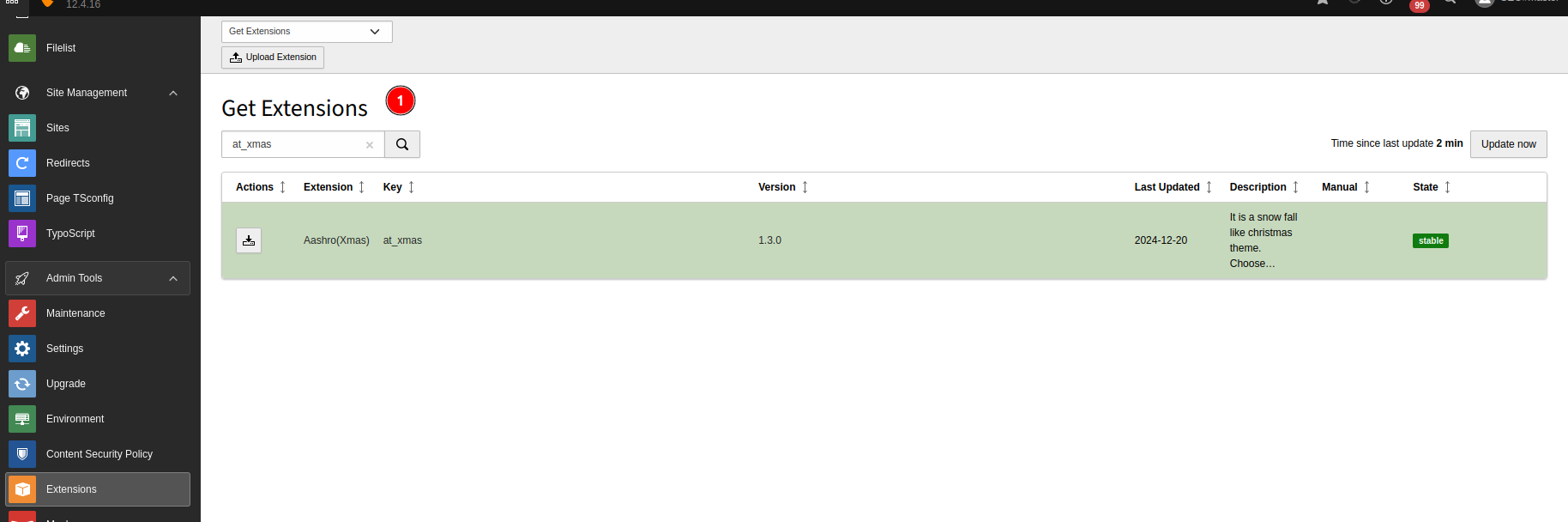
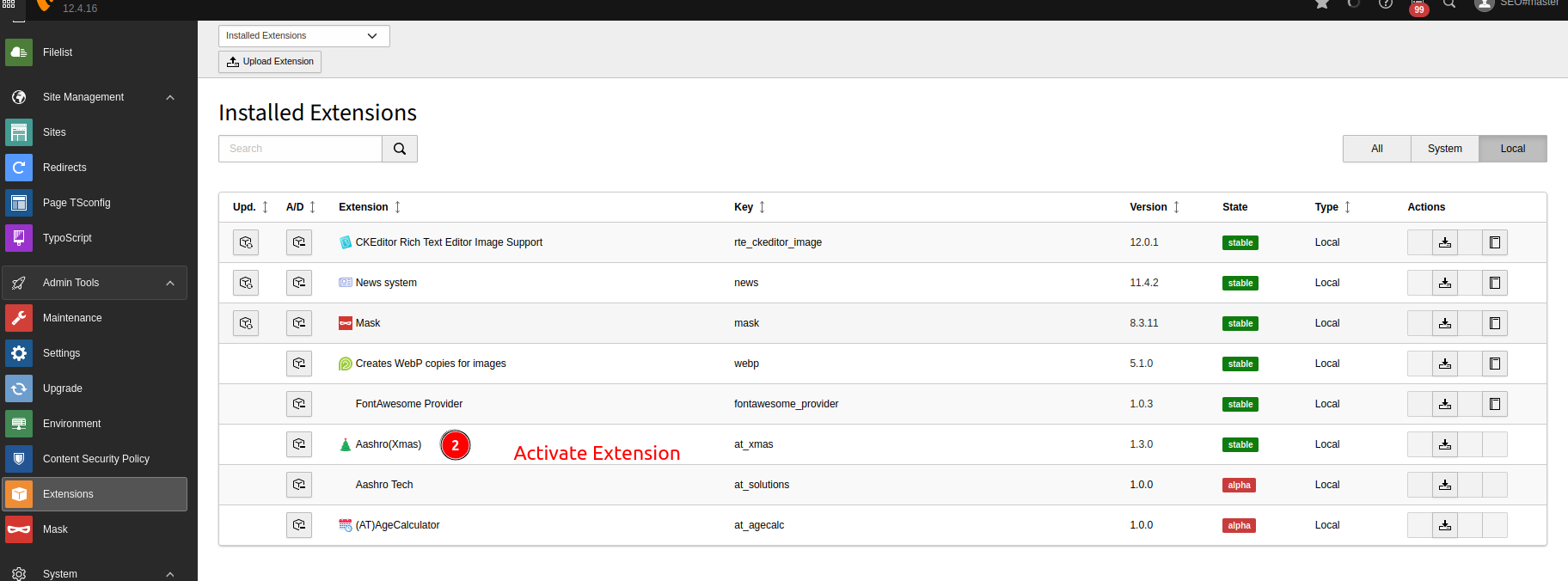
- Open the TYPO3 Backend.
- Go to Extension Manager.
- Search for AASHRO (Xmas).
- Install and activate the extension.
- Clear TYPO3 caches.
5. Setup
After installation:
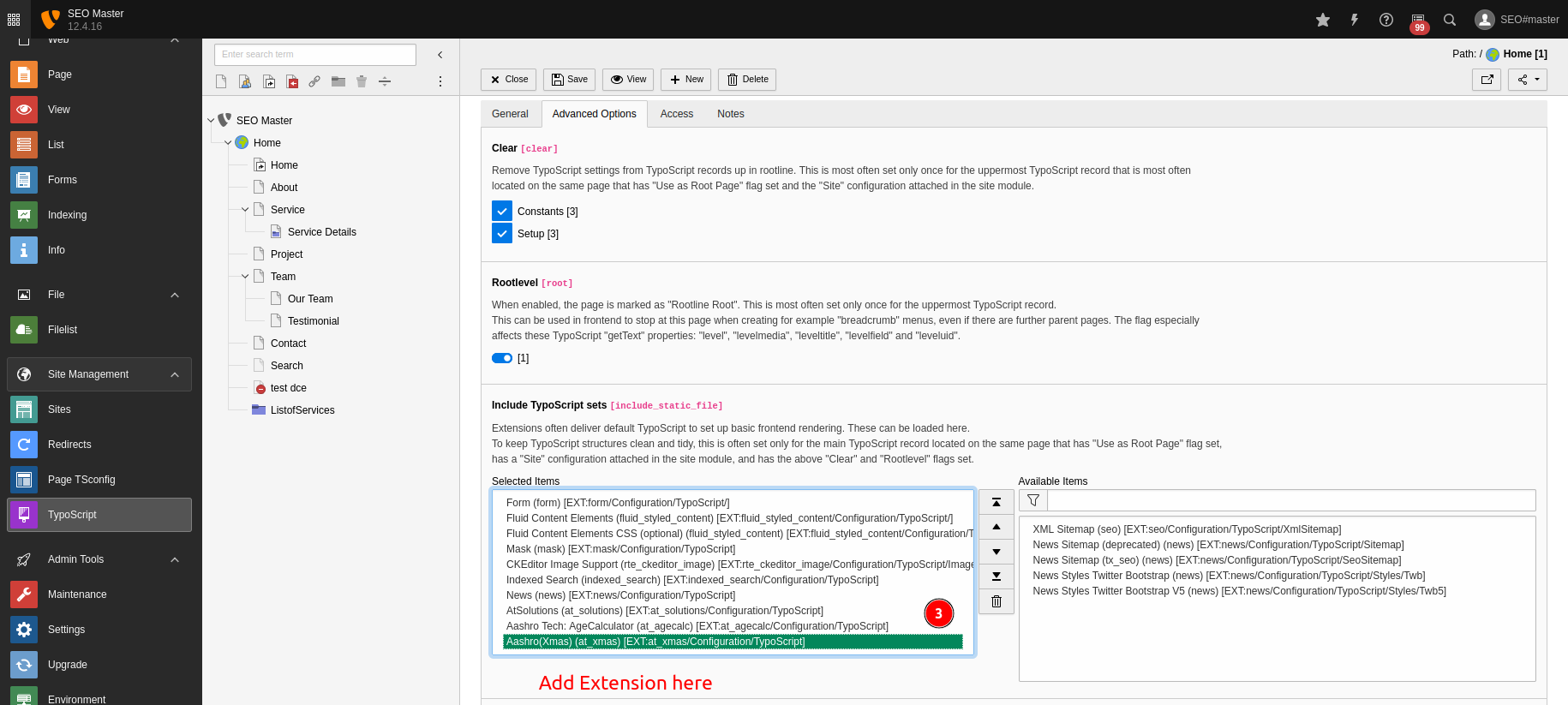
- Include the AASHRO (Xmas) TypoScript.
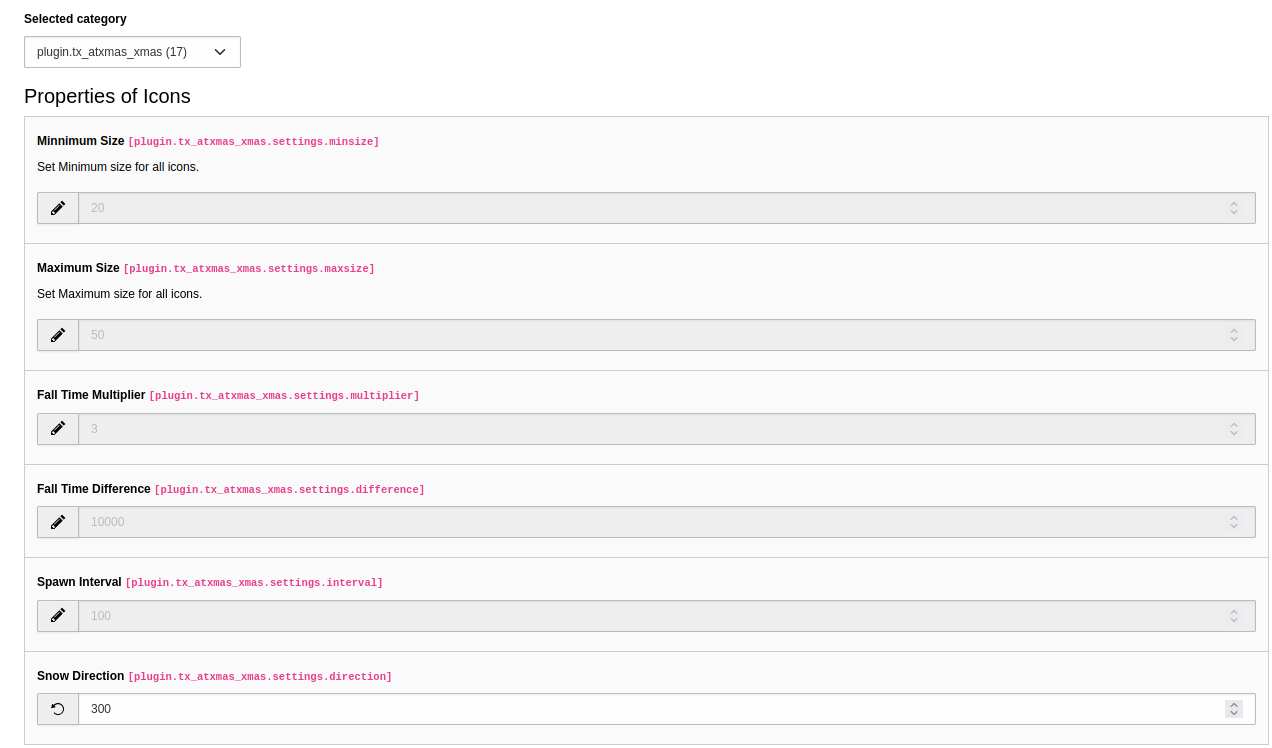
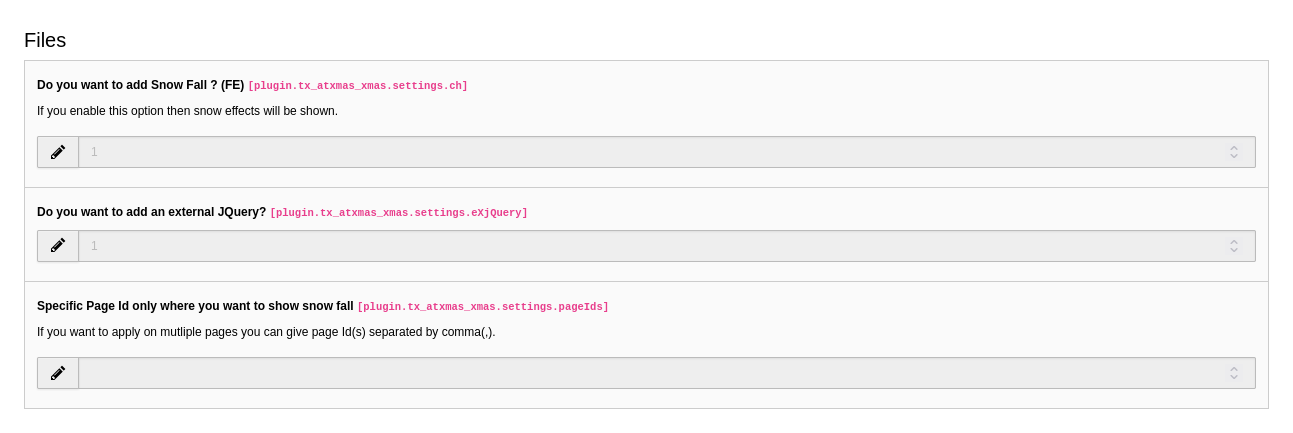
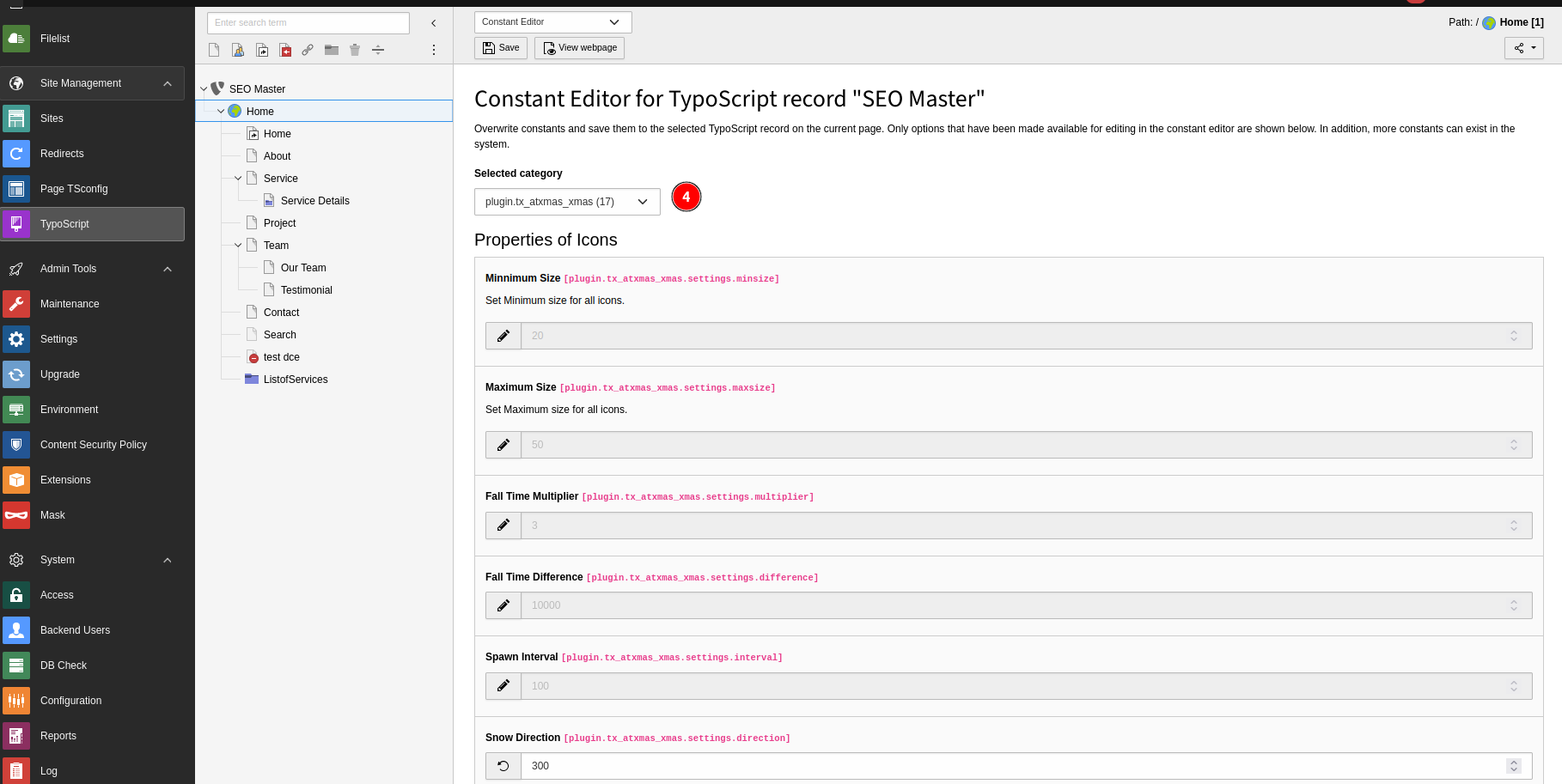
- Open the Constant Editor.
- Configure snowfall settings.
- Select the required pages.
- Clear TYPO3 caches.
- Open the frontend.
No plugin or content element needs to be added.
6. Configuration
The available settings can include:
- Snowfall enable/disable
- Snowflake icon/type
- Snowflake color
- Snowfall speed
- Falling direction
- Snowflake quantity/density
7. Troubleshooting
If snowfall is not visible:
- Check that the extension is activated.
- Check that TypoScript is included.
- Verify snowfall is enabled.
- Check the page configuration.
- Clear TYPO3 caches.
- Check the browser console for JavaScript errors.
8. Best Practices
- Use moderate snowfall density.
- Test on mobile devices.
- Avoid covering important content.
- Consider users with reduced-motion preferences.
- Use snowfall mainly on seasonal or Christmas pages.
9. Summary
AASHRO (Xmas) provides a simple and flexible way to add a festive snowfall effect to TYPO3 websites without requiring a frontend plugin.
Supported TYPO3 versions: v10, v11, v12, v13 and v14.