


- Home
- Optimizing TYPO3 for SEO: Best Practices in 2025
Optimizing TYPO3 for SEO: Best Practices in 2025
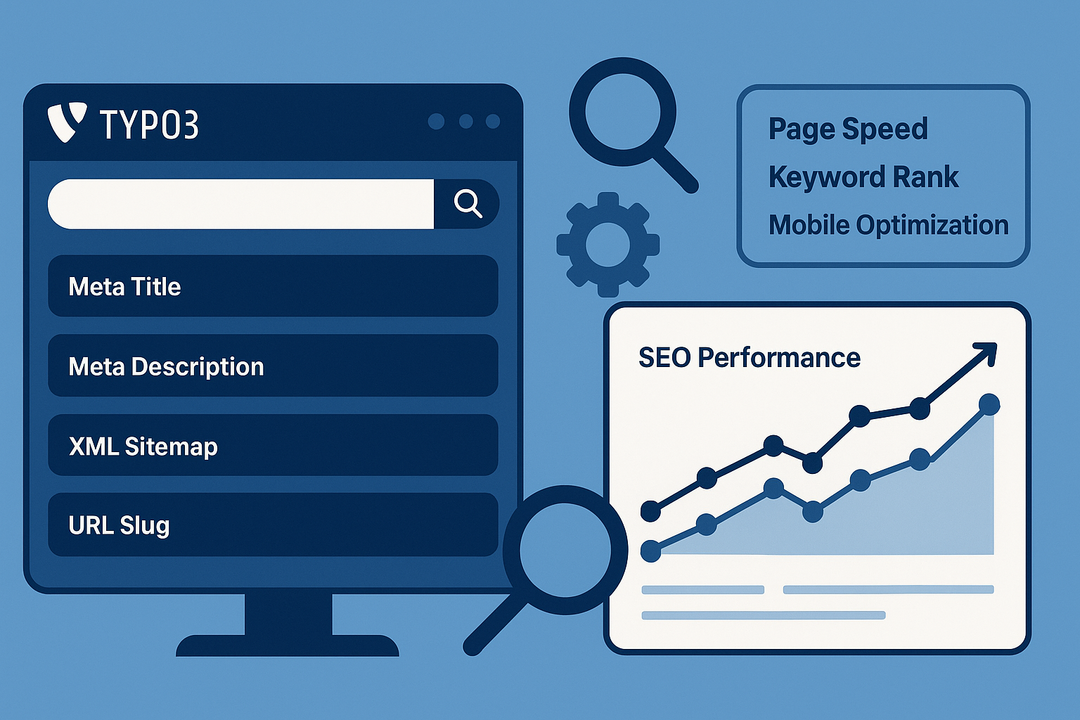
In 2025, standing out online requires more than just a visually impressive website — it demands visibility. No matter how modern your design is, if your site isn't optimized for search engines, potential customers may never find you. That’s where Search Engine Optimization (SEO) plays a vital role.
TYPO3 CMS, especially in its latest version, offers a comprehensive suite of built-in SEO tools and configuration options that empower teams to manage content with search engines in mind. Unlike many CMS platforms that rely heavily on third-party plugins, TYPO3 provides native SEO features such as structured data support, advanced routing, multilingual optimization, and fine-grained control over meta content.
Whether you're a digital agency, content editor, business strategist, or developer, mastering TYPO3’s SEO capabilities can lead to better rankings, increased traffic, and ultimately, more qualified leads and conversions.
This guide outlines real-world, actionable TYPO3 SEO strategies for 2025, crafted to be easy to understand and apply — regardless of your technical expertise. Each section walks you through essential steps to improve your TYPO3 website’s performance in search engine results, backed by best practices that align with the latest trends and search algorithm updates.
1. Use TYPO3’s Core SEO Features Efficiently
TYPO3 comes bundled with a robust set of SEO features, available without installing third-party extensions. Here's how to leverage them:
- Title and Meta Tags:
Use the built-in SEO tab in the page properties. Each page can have a unique Meta Title, Meta Description, and Canonical URL to guide search engines. Make sure to use target keywords naturally while writing engaging titles for users. - Slug (URL Segment):
TYPO3 auto-generates URLs based on page titles. But for SEO, always double-check these under the "URL Segment" field to ensure your URLs are keyword-rich, short, and relevant (e.g., example.com/seo-best-practices, not example.com/page-123). - Open Graph and Twitter Cards:
TYPO3’s Meta Tag section also supports social media optimization. These settings help control how your pages appear when shared on platforms like Facebook, LinkedIn, and Twitter — improving click-through rates. - Robots and Indexing Control:
You can easily manage whether a page should be indexed, followed, or hidden from search engines. This is crucial for pages like login screens or internal documentation.
Always audit these elements regularly and train your content editors to fill them in as part of their publishing workflow.
 2. Enable Real URL Structure with Site Configuration
TYPO3 v9+ introduced the Site Management module, which allows you to configure clear, hierarchical URL paths without extensions like RealURL.
- Define your base domain and language configuration under Site Management > Sites.
- Ensure each root page has the “Is Root Page” option enabled.
- Define the slug behavior, localization handling, and trailing slash preference.
Why this matters: Clean and logical URLs not only help search engines crawl your site more effectively but also improve user trust and click-through rates.
Additionally, configuring multilingual paths (like /en/about-us/ vs /de/ueber-uns/) helps boost international SEO and ensures proper hreflang tagging, which is crucial in 2025's global-first indexing model.
 3. Use Structured Data (Schema Markup) for Rich Snippets
Structured data (like Schema.org) helps search engines understand your content better and can unlock rich search features like:
- FAQs
- Events
- Articles
- Products
- Breadcrumbs
In TYPO3, you can use:
- The cs_seo extension, which adds schema options for each page.
- Custom TypoScript or Fluid templates to inject microdata.
Example: If you're publishing a blog post, include schema for Article or NewsArticle. For products, use Product markup including price and availability.
Bonus: Schema markup improves voice search optimization, which continues to grow in 2025.
 4. Improve Website Speed and Core Web Vitals
Google ranks fast-loading websites higher. TYPO3 gives you control over performance through:
- Image Optimization:Use TYPO3's built-in image rendering features (FAL) to deliver responsive images and apply formats like WebP.
- Minify and Compress Assets: Enable compression for JS, CSS, and HTML using TypoScript or extensions like scriptmerger.
- Caching Configuration: Use TYPO3's native caching framework and integrate with tools like Redis or Varnish for high-performance environments.
- Lazy Loading: TYPO3 natively supports lazy loading for images and videos. This reduces initial page load time and improves the Largest Contentful Paint (LCP) score.
✅ Run regular speed tests using Google PageSpeed Insights or GTmetrix and optimize based on real metrics.
 5. Maintain a Healthy Internal Linking Strategy
Internal links help distribute SEO value across your site and guide users to relevant content. TYPO3 makes internal linking easy:
- Use the link picker to link between pages and content elements.
- Regularly audit your content for orphan pages (pages with no incoming links).
- Add links in content-rich pages to product, service, or blog detail pages using meaningful anchor text (e.g., “learn about TYPO3 SEO extensions”).
TYPO3’s Link Validator tool can help identify broken internal and external links.
✅ Tip: A well-linked site also reduces bounce rate and improves user retention, which contributes to better rankings in 2025.
 6. Integrate Analytics and SEO Monitoring Tools
TYPO3 supports seamless integration with analytics and SEO tracking tools:
- Use extensions like matomo or embed Google Analytics 4 using the site template.
- Monitor keyword rankings, crawl errors, and indexing status using Google Search Console.
- Tools like Screaming Frog SEO Spider or SEMrush can help scan TYPO3 sites for SEO issues.
✅ Set up goals and event tracking to measure how well your TYPO3 content is performing in terms of SEO and conversions.
 7. Secure, Mobile-Friendly & Accessible
In 2025, SEO is no longer just about keywords. Google expects sites to be:
- Mobile-optimized: Use responsive TYPO3 templates (Bootstrap-based or custom Fluid templates).
- Secure: Install SSL certificates (Let’s Encrypt via DDEV or your host), and force HTTPS redirects.
- Accessible: Use semantic HTML and test with tools like Lighthouse or WAVE to ensure compliance with WCAG guidelines.
✅ Sites that are fast, mobile-friendly, and accessible rank higher and offer better user experience across all devices.
Conclusion: Future-Proofing Your TYPO3 Website for SEO Success in 2025
Optimizing TYPO3 for SEO in 2025 is no longer just about inserting keywords or writing compelling meta descriptions. It’s about building a technically sound, user-centric, and high-performance digital presence. With TYPO3 v13, you're already working with one of the most powerful, enterprise-ready CMS platforms — now it's about using its features smartly.
From configuring metadata and structured URLs, to improving page speed, internal links, and accessibility — every detail counts. TYPO3 makes it possible to manage all these elements directly from the backend, either through built-in features or trusted extensions, giving both developers and editors full control.
If you're a business owner or marketing professional, implementing these best practices can significantly boost your site’s visibility, organic traffic, and long-term brand authority. For developers and agencies, these optimizations ensure you deliver not just websites — but high-performing SEO-ready platforms that truly serve clients’ business goals.
✅ Final Tip: Make SEO a continuous process. Regularly audit your TYPO3 site, track performance metrics, update content, and adapt to evolving search engine guidelines.
With the right strategy and TYPO3’s robust capabilities, your website can stay ahead of the competition and thrive in a rapidly changing digital landscape.
